SELECT
   session_id AS SPID, command AS [Command], a.text AS Query, start_time AS [Start Time],
   percent_complete AS [Percent Complete],
   dateadd(second,estimated_completion_time/1000, getdate()) AS [Estimated Completion Time]
FROM sys.dm_exec_requests r
   CROSS APPLY sys.dm_exec_sql_text(r.sql_handle) a
WHERE r.command like 'BACKUP%' OR r.command like 'RESTORE%')


Friday, May 20, 2022
T-SQL to find Backup or Restore Progress
Here is a script that comes handy while performing a huge database Backup or Restore. This script provides the details on the progress of the Backup or Restore operation including the estimated finish time.
Thursday, May 21, 2015
Restore database from corrupt SQL database backup file - Another Guest Post by Jyoti Prakash
Often people have corruption issues regarding
Microsoft's SQL server database as well as its backup. Basically, backup is the
only way to make your database secured and protective; it helps you to restore
your inaccessible files of the main database when any type of corruption or
damage occurs. But, what if backup also corrupt, while attempting to restore
database from backup file. There could be multiple reasons behind such disaster
situation, here in this write-up you will get to know about the reason and
solutions behind such case, where SQL Server user faces corruption in SQL
Server database backup and not able to restore their databases.
How and why the backup file gets corrupt:
SQL backup files are basically a replica of your
original SQL database, which can be located in different locations on the
system. There could be multiple reasons of inaccessible backup file. Here are
some most common causes of damaged SQL BAK files:
- Virus attack
- Abrupt system shutdown
- Use of a wrong driver
- Bad sectors in your system's hard disk
- Sudden removal of a selected tables,
records, and procedures
- unconventional functioning of Hard disk
- Improper shutdown of application
- Wrong database synchronization
- System crash
- corrupt database system rules and tables
The most common error message during restoration of
database is: 'Backup or restore
operation terminating abnormally.'
A Backup restoration error occurs when a filemark in
the backup device could not be read. There could be multiple causes of when a
user encounters a filemark error. The most common reasons are:
- A media failure may arise on the same device where the backup is stored
- A write failure may occur while creating the backup file
- Loss of connectivity may arise while creating a network backup
- A failure in the Input/Output path occurs in the disk just after successful write to the disk
Manual Solution:
After backup restore error the first thing you could
do is to check whether all the sets of backup have issues or just some sets
have issues. It might be possible that only some sets of backup have issues due
to which you are getting restore error. In order to retrieve other backup sets
from the device, you need to specify the file number. In case, there are
multiple backup sets available on a single device, then to determine the usable
backup, you can run the following query:
RESTORE HEADERONLY
FROM DISK='<Backup Location>'
If you got the usable set from the disk, copy it to another drive for
usage and try to restore the damaged files with the help of SQL restore
commands. Here are some of the SQL commands that you can use to restore
corruption in your SQL database backup.
To recover
a database use the following command. This will put your database in the
"restoring" state
RESTORE DATABASE
<DB Name> FROM DISK='<Backup Location>' WITH FILE = <FileNumber>
Note: Write the backup set number instead of 'FileNumber'
that you want to restore.
The following command will take the database, which is in 'restoring'
state and make it available for end users.
RESTORE LOG
<DB Name> FROM DISK = '<Backup Location>'
WITH RECOVERY
WITH RECOVERY
The above mentioned commands are used to restore
corrupt backup file of SQL database. However, these corrupt backup recovery
solutions provided by Microsoft are not applicable for deep corruption cases.
In order to restore your highly damaged or corrupt SQL backup database you can
always choose a third party SQL backup recovery software. These professional
utilities are designed to restore data from a corrupt (.BAK) SQL backup
file.
Third party applications have functions to restore SQL
backup file due to all above mentioned reasons. Before buying any professional
backup recovery tool, you need to choose the most reliable one. For that you
should use the online demo versions of the backup recovery applications to test
their efficiency.
About Jyoti Prakash
Jyoti is a Sr. DBA - SQL Server at Stellar Data Recovery and has written several article on SQL Server disaster recovery planning & fixing. In addition, she spend her time on Technical forums helping people with the issues related to SQL server.
Wednesday, May 7, 2014
Create an Encrypted Backup in SQL Server 2014
Encryption for Backups is a new feature introduced in SQL Server 2014 and the benefits of this option are
Restoring the encrypted backup:
SQL Server restore does not require any encryption parameters to be specified during restores. It does require that the certificate or the asymmetric key used to encrypt the backup file be available on the instance that you are restoring to. The user account performing the restore must have VIEW DEFINITION permissions on the certificate or key. If you are restoring the encrypted backup to a different instance, you must make sure that the certificate is available on that instance.
Reference: http://msdn.microsoft.com/en-us/library/dn449489(v=sql.120).aspx
- Encrypting the database backups helps secure the data.
- Encryption can also be used for databases that are encrypted using TDE.
- Encryption is supported for backups done by SQL Server Managed Backup to Windows Azure, which provides additional security for off-site backups.
- This feature supports multiple encryption algorithms including AES 128, AES 192, AES 256, and Triple DES
- You can integrate encryption keys with Extended Key Management (EKM) providers.
The following are pre-requisites for encrypting a backup:
- Create a Database Master Key for the master database.
USE master;
GO
CREATE MASTER KEY ENCRYPTION BY PASSWORD = 'somepass@word123';
GO
- Create a certificate or asymmetric Key to use for backup encryption.
Use Master
GO
CREATE CERTIFICATE CertforBackupEncryption
   WITH SUBJECT = 'Certificate for Backup Encryption ';
GO
Backup the database with encryption:
BACKUP DATABASE [SansSQL]
TO DISK = N'C:\Backup\SansSQL.bak'
WITH
  INIT,
  COMPRESSION,
  ENCRYPTION
   (
   ALGORITHM = AES_256,
   SERVER CERTIFICATE = CertforBackupEncryption
   ),
  STATS = 10
GO
Restoring the encrypted backup:
SQL Server restore does not require any encryption parameters to be specified during restores. It does require that the certificate or the asymmetric key used to encrypt the backup file be available on the instance that you are restoring to. The user account performing the restore must have VIEW DEFINITION permissions on the certificate or key. If you are restoring the encrypted backup to a different instance, you must make sure that the certificate is available on that instance.
Reference: http://msdn.microsoft.com/en-us/library/dn449489(v=sql.120).aspx
Tuesday, May 6, 2014
Backup a database to Windows Azure storage and restore a database from Windows Azure storage
The evaluation of SQL 2014 continues and here is what's new in Backup and Restore of SQL Server 2014.


In SQL Server 2014, we will be able to backup the database to Windows Azure storage and restore the database backup directly from the Windows Azure storage.
To backup a database to Windows Azure storage, Choose the "Back up To:" to "URL" instead of "Disk"
To restore a database from Windows Azure storage, Choose the "Backup media type:" to "URL" instead of "File"
And here is where you connect to the Windows Azure storage during restore operation
Friday, September 27, 2013
Restore fails with error "The media set has 2 media families but only 1 are provided. All members must be provided."
When you try to restore a backup, it might fail with the below error.

This means that the backup file provided for restore is not a complete one.
Okay, now what does "is not a complete one" mean?
This error pops up when the database is backed up into different files using the split backup technique.
In this case, the database backup was split into 2 files and while restoring the database only one file was mentions.
To fix this issue, you have to specify the complete list of backup files which were part of the backup procedure.
| Msg 3132, Level 16, State 1, Line 1 The media set has 2 media families but only 1 are provided. All members must be provided. Msg 3013, Level 16, State 1, Line 1 RESTORE DATABASE is terminating abnormally. |
This means that the backup file provided for restore is not a complete one.
Okay, now what does "is not a complete one" mean?
This error pops up when the database is backed up into different files using the split backup technique.
In this case, the database backup was split into 2 files and while restoring the database only one file was mentions.
To fix this issue, you have to specify the complete list of backup files which were part of the backup procedure.
Tuesday, September 10, 2013
How to Restore model and msdb database
Unlike master database, restoring model and msdb is simple and follows the same procedure as restoring any other user database. However we have to be very cautious while restoring system databases as it will have sensitive data which is important for SQL Server to function without any issues.
Sunday, September 8, 2013
The backup of the system database on the device <backupPath> cannot be restored because it was created by a different version of the server <version> than this server <version>
While I was trying to restore the backup of master database taken in SQL Server 2008 on to an SQL Server 2008 R2 instance, I was presented with the below error.
| Msg 3168, Level 16, State 1, Line 1 The backup of the system database on the device D:\Backup\master.bak cannot be restored because it was created by a different version of the server (10.00.1600) than this server (10.50.1600). Msg 3013, Level 16, State 1, Line 1 RESTORE DATABASE is terminating abnormally. |
Tuesday, August 27, 2013
Unable to create restore plan due to break in the LSN chain
Recently one of my colleague was working on restoring a database in SQL Server 2012 and the process had one Full database backup and one Differential Backup.
At first everything worked when they try to restore the full database backup with "No Recovery" and when they are trying to restore the differential backup, they were facing an issue which states "Unable to create restore plan due to break in the LSN chain."
At first everything worked when they try to restore the full database backup with "No Recovery" and when they are trying to restore the differential backup, they were facing an issue which states "Unable to create restore plan due to break in the LSN chain."
Thursday, April 18, 2013
Database Refresh and User Permissions
How often do you refresh the databases from production to development?
How often do you miss to capture the users and their permission on the existing database before you restore?
Restoring or refreshing databases from one environment to another is a regular activity that a DBA would perform as part of their job. And as part of the refresh activity it is very important to make note of the users and their permissions before proceeding with the restoration of database. Also it is equally important to apply the correct permission after the restore.
How often do you miss to capture the users and their permission on the existing database before you restore?
Restoring or refreshing databases from one environment to another is a regular activity that a DBA would perform as part of their job. And as part of the refresh activity it is very important to make note of the users and their permissions before proceeding with the restoration of database. Also it is equally important to apply the correct permission after the restore.
Sunday, April 14, 2013
"RESTORE DATABASE is terminating abnormally" error message when you try to restore a full backup of a database taken in SQL Server 2008 R2
Consider a scenario in which you have a
 Workaround
Resolution- Created a database in SQL Server 2008 R2
CREATE DATABASE [TestRestore]
- Changed the Logical Names of the database files
USE master
GO
ALTER DATABASE TestRestore
 MODIFY FILE ( NAME = 'TestRestore', NEWNAME = 'TestRestore_Data')
GO
ALTER DATABASE TestRestore
 MODIFY FILE ( NAME = 'TestRestore_log', NEWNAME = 'TestRestore_logFile')
- Check the Logical File names
SELECT * FROM sys.master_files WHERE DB_NAME(database_id)='TestRestore'
- Perform the full back of the databases
BACKUP DATABASE TestRestore TO DISK = 'D:\Backup\TestRestore_FullBackup.bak' WITH STATS = 10, INIT
- Now try to restore the database using the full backup taken in Step 4
RESTORE DATABASE [TestRestore_Restored] FROM  DISK = N'D:\Backup\TestRestore_FullBackup.bak'
WITH  FILE = 1,
MOVE N'TestRestore_Data' TO N'D:\Databases\TestRestore_Restored.mdf',
MOVE N'TestRestore_logFile' TO N'D:\Databases\TestRestore_Restored_1.ldf',
NOUNLOAD,  STATS = 10
GO
And you get the errorMsg 3234, Level 16, State 2, Line 1
Logical file 'TestRestore_Data' is not part of database 'TestRestore_Restored'. Use RESTORE FILELISTONLY to list the logical file names.
Msg 3013, Level 16, State 1, Line 1
RESTORE DATABASE is terminating abnormally.
This is a known issue and is because, the logical name of the database, after the update is corrupted in the backup file. If you run the RESTORE FILELISTONLY on the backup file, you will notice that the last character of the logical file name is truncated.
RESTORE FILELISTONLY FROM DISK = N'D:\Backup\TestRestore_FullBackup.bak'
To work around this issue, use either one of the below method
- After the logical file name is modified, take the database offline and then back to online.
ALTER DATABASE TestRestore SET OFFLINE
GO
ALTER DATABASE TestRestore SET ONLINE
GO
- While modifying the logical name, append a white space at the end of the new file name, for example
USE master
GO
ALTER DATABASE TestRestore
 MODIFY FILE ( NAME = 'TestRestore', NEWNAME = 'TestRestore_Data ')
GO
ALTER DATABASE TestRestore
 MODIFY FILE ( NAME = 'TestRestore_log', NEWNAME = 'TestRestore_logFile ')
The fix for this issue was release in Cumulative Update 6 for SQL Server 2008 R2.
To resolve this issue permanently, apply the Cumulative Update 6 or the most recent update for SQL Server 2008 R2
Saturday, January 5, 2013
Password Protect a backup file
Password protection of databases backups helps a lot in protecting the database backup from misuse.
Once such case is, when you are sending a backup of database physically through disks which has very sensitive and critical data to a different office or data center.
To password protect backup file, you have include WITH PASSWORD option when backing up the database
Answer: The restoration will fail with the below error
Once such case is, when you are sending a backup of database physically through disks which has very sensitive and critical data to a different office or data center.
To password protect backup file, you have include WITH PASSWORD option when backing up the database
-- Full Backup with password
BACKUP DATABASE SansSQL TO DISK = 'D:\Backup\SansSQL_FullBackup.bak'
WITH PASSWORD = 'Password123'
Now, once the backup is taken with a password, the same password has to be provided while restoring for matching the decryption sequence.
--Restore Full backup with no recovery
RESTORE DATABASE SansSQL FROM DISK = 'D:\Backup\SansSQL_FullBackup.bak'
WITH RECOVERY, PASSWORD='Password123'
Question 1: What happens if you give a wrong password or try to restore without giving password?
Answer: The restoration will fail with the below error
| Msg 3279, Level 16, State 2, Line 1 Access is denied due to a password failure Msg 3013, Level 16, State 1, Line 1 RESTORE DATABASE is terminating abnormally. |
Question 2: How will you come to know if a backup is password protected?
Answer: When you try to restore, it will give an error saying "Access is denied due to a password failure"
And when you try to execute RESTORE HEADERONLY, the file name will be shown as "*** PASSWORD PROTECTED ***"

Wednesday, October 31, 2012
Backup job failed - "file manipulation operations"
On some occasions when scheduling maintenance jobs like, Full database backup, Shrink database, Differential backups, index maintenance jobs we oversee the schedules and end up with jobs running into each other.
This will definitely lead to bigger errors and failures at any point in time. One such error we come across in such situations is the following.
"Backup, file manipulation operations (such as ALTER DATABASE ADD FILE) and encryption changes on a database must be serialized. Reissue the statement after the current backup or file manipulation operation is completed."
Note: This is just the part of job history.
Fixes:
- All we need to do is be alert and make sure we have the correct schedules for all the jobs without allowing any of the jobs running into each other.
- If error or failures, make sure to change the job schedules and confirm if it works fine.
Hope this helps!
Wednesday, September 26, 2012
Piecemeal Restore
What is Piecemeal Restore?
Piecemeal restore is a process which allows databases that contain multiple filegroups to be restored and recovered in stages.
Which Version of SQL Server supports Piecemeal restore?
Piecemeal restore was introduced in SQL Server 2005 and is supported in SQL Server 2005 and later versions.
What are the Limitations?
Piecemeal restore is a process which allows databases that contain multiple filegroups to be restored and recovered in stages.
Which Version of SQL Server supports Piecemeal restore?
Piecemeal restore was introduced in SQL Server 2005 and is supported in SQL Server 2005 and later versions.
What are the Limitations?
The Database should contain multiple files or filegroups and should have at least One Read-Only filegroup.
Piecemeal restore works with all recovery models, but is more flexible for the full and bulk-logged models than for the simple model.
Types of Piecemeal Restore?
- Offline
In an offline piecemeal restore, the database is online after the partial-restore sequence. Filegroups that have not yet been restored remain offline, but they can be restored as you need them after taking the database offline.
All editions of SQL Server 2005 and above support offline piecemeal restores. - Online
In an online piecemeal restore, after the partial-restore sequence, the database is online, and the primary filegroup and any recovered secondary filegroups are available. Filegroups that have not yet been restored remain offline, but they can be restored as needed while the database remains online.
SQL Server 2005 Enterprise Edition and later versions support Online piecemeal restores.
Tuesday, September 11, 2012
Database Corruption and Recovery
What is database corruption?


Inconsistency in the internal structure of the database with
respect to data or log files is known as database corruption
What causes database Corruption?
- Physical Inconsistency - One or more access paths to the data may be invalid.
- Logical Inconsistency - One or more pointers to the data may be invalid
How to detect Corruption?
- Status of database set to “suspect”
- Evident from Error log and/or Event Viewer logs
- Consistency errors from DBCC CHECKDB
- T-SQL Queries or application throwing corruption related error (Database might be online without being suspect)
- SQL Server Startup Failure
- Failure while Restoring or Attaching databases
What are the causes that leads to database corruption?
- Hardware failure event
- Power outage
- SAN crash
- NTFS or File System Corruption
- FTDisk Errors
- Bad Block or Disk Corruption
- Outdated or Faulty Drivers
- Failed Restore/Attach
- Due to Bad File/Page
- Abnormal Termination of the process
- Corrupted Header
- User Error
- File Deletion/Renaming
- File Swapping
- 3rd Party Software
- Filter Drivers
- Outdated/Faulty Device Driver
Recovery Flows
- master Database
- model Database
- msdb Database
- tempdb Database
- User Database
Tuesday, September 27, 2011
Backup Database to multiple locations simultaneously - Mirror Backups
Database backup is one the regular activity a DBA would perform. Some times you might come across a situation where in you need to backup the database to different location. When I say backup database to different locations, it means that a copy of backup file needs to be placed on a different location as well and this is different from the Split Backups.


This is can be achieved by different methods,
- Take backup and then copy to multiple location
- Take backup of the same database multiple times pointing to different locations
- Use "MIRROR TO" Option in the Backup command
Using the option "MIRROR TO" is very simple, you just need to mention "MIRROR TO" and "WITH FORMAT" options in the normal BACKUP DATABASE Statement and you are done. The backup database statement with these two options will take the backup of the same database to multiple locations at the same time.
This option "MIRROR TO" is introduced in SQL Server 2005 and this works only in SQL Server 2005 Enterprise Edition and later versions.
This can be used for all backup types and the Maximum number of "MIRROR TO" clauses that you can specify is three.
Example:
| BACKUP DATABASE AdventureWorks
TO DISK = 'C:\Backup\AdventureWorks_Full.bak'
MIRROR TO DISK = 'C:\Mirror\AdventureWorks_Full.bak'
WITH STATS=10, FORMAT
BACKUP DATABASE AdventureWorks
TO DISK = 'C:\Backup\AdventureWorks_Differential.bak'
MIRROR TO DISK = 'C:\Mirror\AdventureWorks_Differential.bak'
WITH STATS=10, DIFFERENTIAL, FORMAT
BACKUP LOG AdventureWorks
TO DISK = 'C:\Backup\AdventureWorks_log.trn'
MIRROR TO DISK = 'C:\Mirror\AdventureWorks_log.trn'
WITH STATS=10, FORMAT
|
When it comes to restoring the database, we can use either of the backup copies to restore or recover the database.
Friday, September 2, 2011
Get last backup details of all databases in a server
This stored procedure give you the information about latest backups happened on all databases in a server.
This SP works for SQL server 2005 and up.
Results:

This SP works for SQL server 2005 and up.
| Create Proc sp_BackupDetails
AS
DECLARE @BackupDetails table
([Server Name] nvarchar(500),
[Database Name] nvarchar(500),
[Last Full Backup] nvarchar(500),
[Last Differential Backup] nvarchar(500),
[Last Log Backup] nvarchar(500),
[Last File or filegroup Backup] nvarchar(500),
[Last Differential file Backup] nvarchar(500),
[Last Partial Backup] nvarchar(500),
[Last Differential Partial Backup] nvarchar(500)
)
DECLARE @DBName nvarchar(500)
Declare DBName Cursor for
Select name from sys.databases
Open DBName
Fetch Next from DBName into @DBName
While @@fetch_status = 0
BEGIN
Insert into @BackupDetails
select @@ServerName as [Server Name]
,SDB.name AS [Database Name]
,(select COALESCE(Convert(nvarchar(20), MAX(backup_finish_date), 100),'NA') from msdb..backupset where database_name=@DBName and type='D') AS [Last Full Backup]
,(Select COALESCE(Convert(nvarchar(20), MAX(backup_finish_date), 100),'NA') from msdb..backupset where database_name=@DBName and type='I') AS [Last Differential Backup]
,(Select COALESCE(Convert(nvarchar(20), MAX(backup_finish_date), 100),'NA') from msdb..backupset where database_name=@DBName and type='L') AS [Last Log Backup]
,(Select COALESCE(Convert(nvarchar(20), MAX(backup_finish_date), 100),'NA') from msdb..backupset where database_name=@DBName and type='F') AS [Last File or filegroup Backup]
,(Select COALESCE(Convert(nvarchar(20), MAX(backup_finish_date), 100),'NA') from msdb..backupset where database_name=@DBName and type='G') AS [Last Differential file Backup]
,(Select COALESCE(Convert(nvarchar(20), MAX(backup_finish_date), 100),'NA') from msdb..backupset where database_name=@DBName and type='P') AS [Last Partial Backup]
,(Select COALESCE(Convert(nvarchar(20), MAX(backup_finish_date), 100),'NA') from msdb..backupset where database_name=@DBName and type='Q') AS [Last Differential Partial Backup]
from sys.databases SDB
where SDB.name =@DBName
Fetch Next from DBName into @DBName
END
Close DBName
DEALLOCATE DBName
Select * from @BackupDetails
GO
|
Usage:
Exec sp_BackupDetails
go
Saturday, March 26, 2011
Page Level Restoration
Sometimes you might come across a situation where a particular Page of a SQL Server database gets corrupted due to various reasons. In such cases only that corrupted page can be recovered using a backup.
To explain how to recover a page from the backup, I will first need to corrupt a page on a database.
By using the below method I am going to simulate the page corruption and then recover using the backup taken before corruption.
First I am going to create a database by name "TestPageLevelRestore" and Set its recovery Model to FULL.

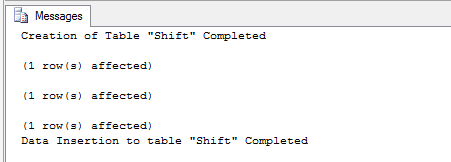
Now Create a table and insert data into that table.
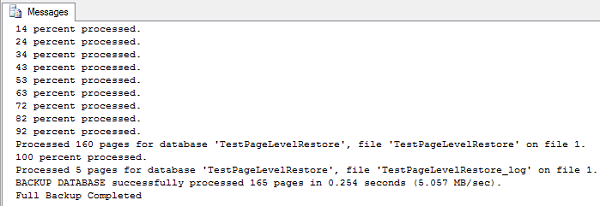
Now take a FULL backup of the database
After the backup is completed, get the list of index ID's from which you can choose one to corrupt

Now get the list of pages in that index.

Now you can get the page level details using the below query
To explain how to recover a page from the backup, I will first need to corrupt a page on a database.
By using the below method I am going to simulate the page corruption and then recover using the backup taken before corruption.
First I am going to create a database by name "TestPageLevelRestore" and Set its recovery Model to FULL.
| USE master; GO CREATE DATABASE TestPageLevelRestore ON ( NAME = TestPageLevelRestore, FILENAME = 'D:\TestPageLevelRestore.mdf', SIZE = 10) LOG ON ( NAME = TestPageLevelRestore_log, FILENAME = 'D:\TestPageLevelRestore_log.ldf', SIZE = 5MB) ; GO Print 'Database TestPageLevelRestore Created' ALTER DATABASE TestPageLevelRestore SET RECOVERY FULL Print 'Recovery Model of database TestPageLevelRestore has been changed to FULL' |
Now Create a table and insert data into that table.
| Use TestPageLevelRestore GO CREATE TABLE [Shift]( [ShiftID] tinyint IDENTITY(1,1) NOT NULL, [Name] nvarchar(50) NOT NULL, [StartTime] datetime NOT NULL, [EndTime] datetime NOT NULL, [ModifiedDate] datetime NOT NULL, CONSTRAINT [PK_Shift_ShiftID] PRIMARY KEY CLUSTERED ([ShiftID] ASC) ) Print 'Creation of Table "Shift" Completed' SET IDENTITY_INSERT [Shift] ON INSERT [Shift] ([ShiftID], [Name], [StartTime], [EndTime], [ModifiedDate]) VALUES (1, N'Day', '1900-01-01 07:00:00.000', '1900-01-01 15:00:00.000', '1998-06-01 00:00:00.000') INSERT [Shift] ([ShiftID], [Name], [StartTime], [EndTime], [ModifiedDate]) VALUES (2, N'Evening', '1900-01-01 15:00:00.000', '1900-01-01 23:00:00.000', '1998-06-01 00:00:00.000') INSERT [Shift] ([ShiftID], [Name], [StartTime], [EndTime], [ModifiedDate]) VALUES (3, N'Night', '1900-01-01 23:00:00.000', '1900-01-01 07:00:00.000', '1998-06-01 00:00:00.000') SET IDENTITY_INSERT [Shift] OFF Print 'Data Insertion to table "Shift" Completed' |
Now take a FULL backup of the database
| BACKUP DATABASE TestPageLevelRestore TO DISK='D:\TestPageLevelRestore_FullBackup.bak' WITH STATS=10 Print 'Full Backup Completed' |
After the backup is completed, get the list of index ID's from which you can choose one to corrupt
| --To get the list of index ID's from which you can choose one to corrupt Use TestPageLevelRestore Select * from sys.indexes where OBJECT_NAME(object_id)='Shift' |
Now get the list of pages in that index.
| --To get the list of pages DBCC IND ('TestPageLevelRestore', 'Shift',1) |
Now you can get the page level details using the below query
| -- To display the contents DBCC TRACEON (3604); GO --TO get the page level data details DBCC PAGE('TestPageLevelRestore',1,147,3); |

For corrupting a particular page using a hex editor, you need to get the offset value, to obtain the offset value of a page simply multiply the PageID with 8192
| --Get the Offset Value. This can be obtained by multiplying the page ID with 8192. --Once you get the result copy the result and set the database to offline SELECT 147*8192 AS [OffSetValue] |

Once you get the offset Value, just copy it and take the database Offline.
| USE MASTER ALTER DATABASE TestPageLevelRestore SET OFFLINE Print 'Database TestPageLevelRestore is set to Offline. Now Open the TestPageLevelRestore.mdf file in the hex editor and press ctrl+g to go the page where the index data is located. Choose Decimal and paste the offset value. once you go to the location, then manuplate the value and save the file and exit hex editor. After manuplating data bring database online.' |

Now Open the data file of the database "TestPageLevelRestore.mdf" file in the hex editor and press ctrl+g to go the page where the index data is located.
Then choose Decimal option and paste the offset value.
Once you go to the location, then manuplate the value and save the file and exit hex editor.


You can now see that I have edited the page and saved the file.

Once you edit the file and saved it, exit the Hex Editor and bring back the database to Online state.
| USE MASTER ALTER DATABASE TestPageLevelRestore SET ONLINE Print 'Database TestPageLevelRestore is set to Online' |

Now try to read data from the table and you will get error which states that the read failed at page (x:xxxx)
| --Select the data and you will get error stating that the read failed at page (x:xxxx) USE TestPageLevelRestore Select * from shift select * from sys.master_files where DB_NAME(database_id)='TestPageLevelRestore' |

So this means that the page is now corrupted. By this the simulation of page corruption is completed.
Now we need to start looking on how to recover the page using page level restore.
Before we start the recovery process, we need to backup the tail of the log.
| USE master BACKUP LOG TestPageLevelRestore TO DISK = 'D:\TestPageLevelRestore_log.bak' WITH INIT, NORECOVERY; GO |

| Restore DATABASE TestPageLevelRestore Page='1:147' FROM DISK='D:\TestPageLevelRestore_FullBackup.bak' |

After the page restoration is completed, Restore the tail log backup.
| RESTORE LOG TestPageLevelRestore FROM DISK = 'D:\TestPageLevelRestore_log.bak'; GO |

Now you have restored the corrupted page from a good backup and this can be verified by selecting the data from the table and you will be able to retrieve the data.
| USE TestPageLevelRestore Select * from shift |

The complete demo script that I have used in this post can be downloaded from here.
Subscribe to:
Posts (Atom)